Cricut StickerPix: What the Heck Is It, and Is It Worth It?
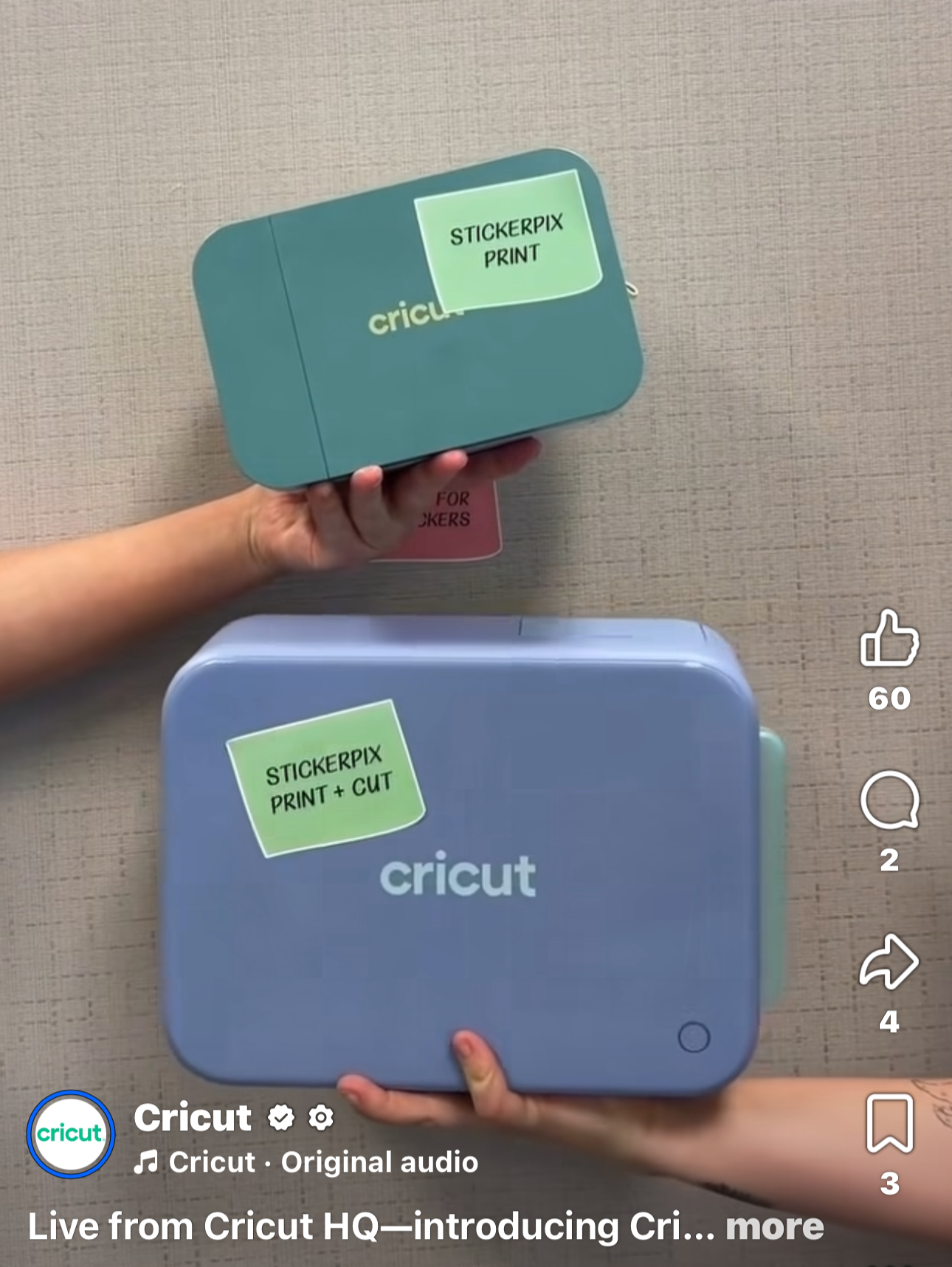
Cricut’s NEW StickerPix Machines! This post contains affiliate links. Should you choose to purchase items through these links I may receive a small commission at no additional cost to you.
Want one? Grab yours here!
Cricut just launched a whole new sticker machine line called StickerPix, and if your first thought was, “Wait… what does this thing actually DO?” — same.
There are two machines:
StickerPix Print — $169
StickerPix Print + Cut — $299
And no, these are not regular Cricut cutting machines.
So what is StickerPix?
Think of it as a little desktop sticker/photo printer that works inside Design Space.
Both machines print at 300 DPI using dye-sublimation technology, then automatically add a clear protective coating to help make prints water-, scratch-, and fade-resistant.
That means no separate printer, no laminating sheets, and — with the Print + Cut model — no moving your printed sheet over to another Cricut to cut it.
What’s the difference?
StickerPix Print — $169
This one prints but does not cut.
It uses Cricut’s pre-cut sticker sheets with shapes like circles, squares, and rectangles. It can also print 4x6 photos.
This is probably best for:
labels
party favors
planner stickers
photo stickers
simple business stickers
StickerPix Print + Cut — $299
This is the more interesting one.
It prints, applies the protective coating, and cuts around your designs automatically.
You can make your own custom sticker shapes right inside Design Space.
BUT — there’s a catch.
It currently only does kiss-cut stickers, meaning the sticker cuts but the backing sheet stays intact.
So if you sell individual die-cut stickers, your regular Cricut may still be the better option.
What materials can you use?
Here’s the part I’m not in love with.
StickerPix uses Cricut-specific materials and cartridges.
You cannot just toss your favorite printable vinyl or Amazon sticker paper into it.
The Print + Cut currently uses:
4x7 glossy sticker sheets
4x6 glossy photo paper
The smaller StickerPix Print uses Cricut’s pre-cut sticker sheets and photo paper.
And the supplies for the two machines are not interchangeable.
What about ink?
There are no normal liquid ink cartridges.
StickerPix uses a dye-sub cartridge system that includes cyan, magenta, yellow, and the protective coating.
The upside?
No dried-out inkjet cartridges after your printer sits untouched for a month.
The downside?
You are locked into Cricut’s replacement cartridges.
The Print + Cut cartridge produces about 36 prints, while the smaller Print cartridge produces about 54 prints.
How much does it cost to use?
At launch, Cricut’s Print + Cut refill packs work out to roughly 67 cents per sticker sheet, including the printable material, ink, and protective coating.
The smaller StickerPix Print runs closer to about 61 cents per sheet.
That’s not horrible considering you’re getting the print + coating together, but there’s currently no cheap third-party material option.
Is it worth it?
Honestly, it depends on how you make stickers now.
I think it makes sense if:
you don’t already own a good printer
you mainly want to make stickers
you hate dealing with Print Then Cut
you want something easy
you make planner stickers, labels, scrapbook stickers, or party stuff
I’d probably skip it if:
you already have a good printer + Cricut setup
you like using different sticker papers
you use specialty laminates
you need larger sheets
you sell individual die-cut stickers
A regular printer + Cricut setup gives you a LOT more material flexibility.
StickerPix gives you convenience.
My biggest hesitation
The proprietary supplies.
I would LOVE to see Cricut add things like:
matte sticker paper
transparent sticker material
holographic finishes
removable adhesive
more sheet sizes
Because right now the machine itself is cool, but the material selection is pretty limited.
Bottom line
The StickerPix Print + Cut is basically a printer, laminator, and sticker cutter rolled into one tiny machine.
That’s actually pretty neat.
But it’s not replacing your Explore or Maker.
If you already have a sticker-making setup you love, this is probably a convenience purchase — not a necessity.
If you’re brand new to stickers and want to skip the printer + laminate + Print Then Cut headache?
That’s where StickerPix starts making a whole lot more sense.
Craft smart, make magic.