Is your blade ripping through vinyl? Here’s how to fix it.
Hi! Amber from Craft’n Cadabra here with our TIP OF THE WEEK!
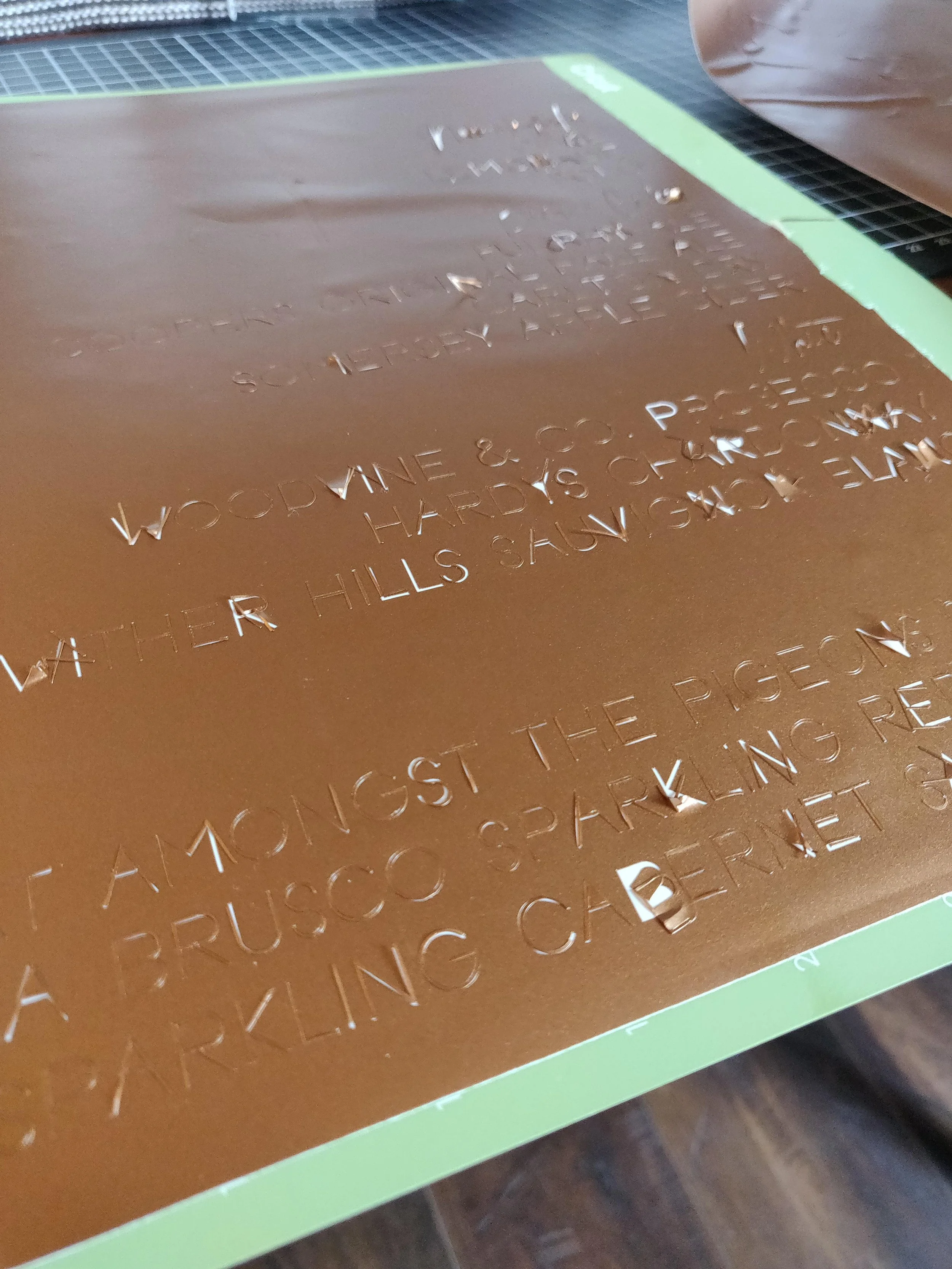
Ripped vinyl makes me wanna rip my hair out.
One issue I see come up a lot in the Cricut Tips & Tricks community is blades dragging through vinyl instead of cutting cleanly.
If your cuts look messy or your vinyl tears while weeding, there are usually a few simple causes.
What It Looks Like
You might notice:
• the blade dragging through vinyl
• jagged or messy cuts
• vinyl tearing while weeding
None of this is fun. It’s a waste of time, materials and above all else, patience.
Common Causes
Too much pressure
I know it sounds nuts, but if your cut pressure is too high, the blade digs into the vinyl instead of slicing cleanly.
Dull blade
A dull or dirty blade can’t rotate smoothly. It makes for ugly cuts.
Vinyl not stuck to the mat
If the material shifts during the cut, the blade may drag.
Text is too fine
I know I am guilty of spending hours hunting for a font and when I cut the font it ends up being too fine, and the vinyl just can’t hold it’s shape.
Easy Fixes to Try
Try these before replacing anything:
• switch to a lighter pressure setting
• clean your blade
• press vinyl firmly to the mat with a brayer ( I like this one)
• Switch fonts, or make an offset then weld it to the text to make it “bolder”
Many experienced Cricut users also prefer the Washi Sheet setting for intricate vinyl cuts.
Quick Tip
If your cuts look messy, try running a test cut
before cutting your full design. I do this all the time just to see if its going to work, especially if its a cut I’ve never done before, or a material I have no worked with before.
If you’re still learning or are like me and just can’t remember everything- grab the free CTT Guide.
Have you ever had this happen with your Cricut? Tell me about it!